01Installation
What does installation require?
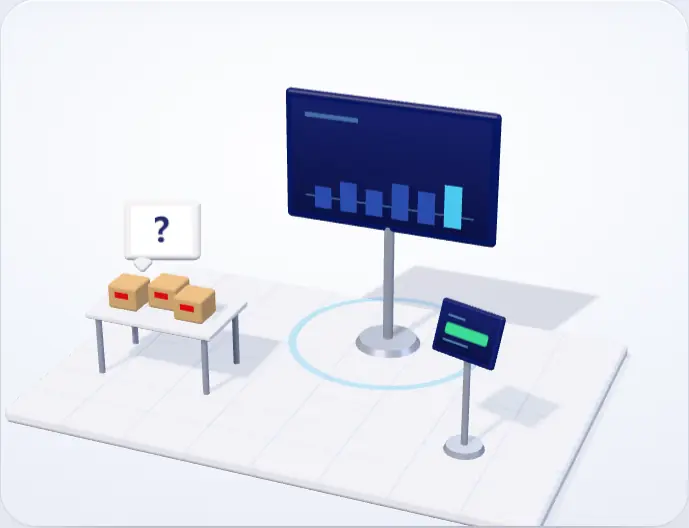
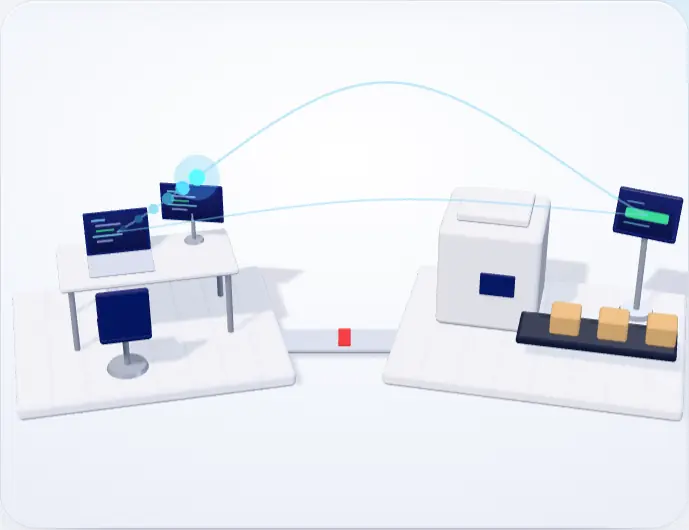
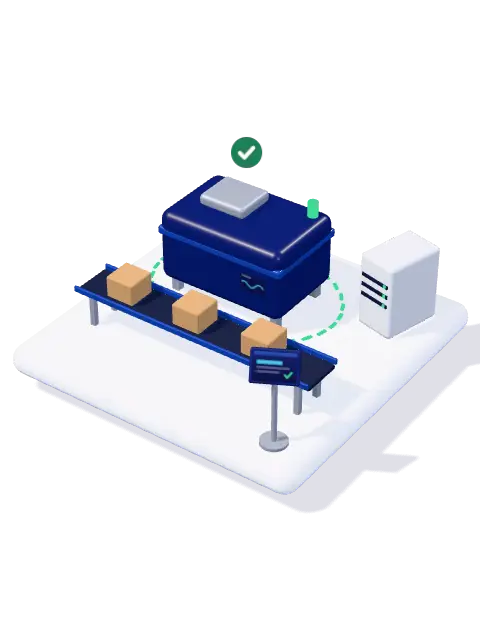
The usual wayPLC connections and cabling; the line stops during installation.
btg Smart FactoryWithout touching the machine, without stopping the line.
From raw material to dispatch, every batch on record.
For every factory that produces in batches: quality records, traceability and audit documents in one place. Installed without touching your machines.
Scroll down
One batch's trail
From raw material to dispatch, every step in one record. Our AI, iMES, reads the records.
01Raw material intake
Incoming material is scanned; supplier, quantity and, where relevant, shelf life are tied to the lot number, and the label prints at the same time.
LotA unit of raw material from a supplier, tracked under one number.
Gain: lots near the end of shelf life show up early; raw material is not wasted.
02Tracking down the line
The operator starts and finishes each step with one tap; who, when and at which station is recorded automatically.
BatchA production unit made to one recipe at one time and tracked under one number.
Gain: the biggest loss and the bottleneck come first; the finish time comes from the line's actual speed.
03Quality control
The value is read from the machine's own screen or entered by the operator, then checked against its limit. On a critical deviation the batch goes on hold.
Control pointA step that must be measured for quality or product safety; in food, the HACCP critical control point.
Gain: faulty batches are not shipped.
04Recall
Every case, pallet or reel carries the batch number and is scanned onto the delivery note. When a complaint comes in, the raw material it came from and every customer that same material went to appear in one click.
Trace backThe chain from a shipped product back to its raw material and supplier.
Gain: on a complaint, the trace is one click away, not in a folder.
05iMES AI
iMES learns each step's normal from your plant's own records and flags the drift with its reason before it becomes a result. Ask it a question and it answers from the records. The data never leaves the building.
NormalA step's usual duration in this plant, for this product.
Gain: loss is caught before it happens; you are warned as a breakdown approaches.
at a glance
The survey takes half a day, can be done remotely and commits you to nothing.
 AI alertIE-2026-K01
It was slowing down without anyone noticing. iMES compares every batch with its own normal and explains the deviation.
What the line is carrying right now. How many batches there are and where each one stands — at a glance when the shift starts.
Where the planned time went. Availability, performance and quality separately; you see which one pulls it down.
Stoppages, slow cycles and scrap in one unit. Lost production hours from largest to smallest; it is clear what to look at first.
The latest reading at the critical point. An out-of-limit value is not rejected; it is recorded as non-conforming and raises an alert.
Line stock from the scans. Which lot's shelf life is running out, and whether there is enough material for open work orders.
Everyone looks at their own screen; all of them read the same record.
Four roles, one recordThe operator sees only their own terminal; the supervisor sees the line, the production manager the boards, the plant manager the definitions and the staff. Nobody can grant themselves a higher role. All four read the same row; nobody keeps a separate file.Who reaches what?For auditors and managers, one click from the record on screen.
Eight documents, one buttonNothing is attached to the machine; no cabinet is opened.
Not a single cable is run to your lineTerminals are placed next to the station and join the existing network; if you remove the system, no trace is left on the line.What does installation require?The operator taps once; time, person, station and batch are recorded automatically.
One touch, a complete recordThe operator only reports that the step is done. Who, when, at which station, which batch: the system writes it all. No separate form, no separate logbook.How is the record made?What it brings you
The system is set up for your plant, runs in sync with the systems you already use and tunes itself on your own data.
01Prevents loss
Every batch is compared with its own normal; a deviation reaches you before the shift ends, while the work is running, with its reason. It also warns you when a breakdown is approaching.
02Prevents loss
If a critical measurement is out of limit, the batch is put on hold. If a complaint comes in, the trace from shipment back to raw material comes up in one click.
03Prevents loss
Lots close to the end of their shelf life show up in advance; which lot covers which job is clear.
04Raises efficiency
Downtime, slow running and scrap are added up in one measure; the station holding the line up most is clear. Nobody argues over where improvement should start.
05Raises efficiency
A sequence is suggested that cuts changeovers and delays; when an order will finish comes from the line's actual speed.
06Raises efficiency
You ask in everyday words; iMES answers with the figures, from the same records the screens read.
In 37 seconds
Industries
One core, with parts fitted to your industry. Pick your industry and see your line.
Food
Food
Food
Production
Production
Production
Production
Production
Building materials
Your facility
The core is on in every facility: batch entry, workflow, stations, downtime, personnel, alerts, reports and iMES. The HACCP vocabulary, CIP cleaning, planned maintenance, dispatch and scheduling are switched on per facility; a module that is off shows neither its screen nor its data endpoint.
Modules
Six separate programs mean six versions of the same truth. Here all six read one line.
Note: the software itself — screens, reports and documents — is currently in Turkish only.
Each module answers one question: where is the batch, why did the line stop, who did this lot go to. Click a module for the details.
Production
Production
Production
Production
ProductionOptional
Machines
MachinesExtra setup
MachinesOptional
Quality
QualityOptional
Quality
Quality
Quality
Quality
Material
MaterialOptional
Material
Team
Reports
Reports
Template
Why us
01Without touching the machine
We don't connect to the PLC, open the cabinet or pull cables. Values are read from the machine's own screen; the warranty stays as it is.
02Data stays in the building
The server is the plant's own computer; the firewall opens only to the local network. It restarts by itself after a power cut and backs up to a second disk.
03AI-integrated
Traditional systems record and wait for someone to read the report. iMES reads every record and flags the drift before it becomes a result.
01Learns
No ready-made tables. Every batch becomes a point; no plant is another plant's normal.
02Watches
Within one batch, across batches, over thirty days and right now. A drift hidden on one scale shows on another.
03Catches
Everyone sees a stopped line. No one sees the one that slows by two seconds a day. Three months later part of your capacity is gone; iMES catches that drift in the record.
04Alerts
Which step, for how many batches, by how much: every alert comes with its reason. Mark one «false alarm» and it re-tunes its threshold. Included with the product; no separate licence.
05You ask
You type the question in everyday words; the answer comes with its figures, from the same records the screens read. When it doesn’t know, it says so instead of making something up.
Gain: no waiting for a report to get a figure.
Where the data comes from
The AI stays the same. Data reaches it by three paths; you pick the one that fits your line.
01With camera · optional
The camera sees only movement: when a stoppage started and how long it lasted come from it, while the operator picks the reason. If the camera goes quiet, reporting returns to the operator.
CameraIt watches the machine move and detects when a stop begins and how long it lasts.
02Manual entry · checked
The operator who finishes a step presses one button and reports the stoppage too. If a measurement falls outside its limit the screen shows it before saving; a wrong value does not slip through.
Manual entryThe operator enters the measurement; the value is checked against the limit before it is saved.
03Remote · sensorless
No camera, no sensor, no cable. The data comes from the operator's declaration, and a terminal is bound to its station by scanning a QR code. The management screens can also be opened from outside through a single authenticated address.
QR codeA phone or tablet scans the station's QR code and is bound to that station.
All three write the same record, land on the same dashboards and are read by the same AI. One station can use a camera, another manual entry; you can change it later.
How this differs from a typical MES
Two answers to every question: the usual way and ours.
01Installation
The usual wayPLC connections and cabling; the line stops during installation.
btg Smart FactoryWithout touching the machine, without stopping the line.
02Data
The usual wayData is kept in the software vendor's cloud.
btg Smart FactoryOn your factory's own computer.
03Timing
The usual wayThe report comes at month end, after the work is done.
btg Smart FactoryWhile the job runs, without waiting for month end.
04Normal
The usual waySomeone types the thresholds in by hand at installation.
btg Smart FactoryLearned from your own records.
05Alert count
The usual wayEvery threshold breach becomes a separate alert.
btg Smart FactoryThere is a ceiling on the number of alerts.
06Rationale
The usual wayAn alert arrives; you go looking for the reason.
btg Smart FactoryEvery iMES alert comes with its reason.
07Sequencing
The usual wayThe planner builds the sequence by hand in a spreadsheet.
btg Smart FactoryA constraint solver proposes the sequence.
Scheduling Optional
08Breakdown
The usual wayMaintenance follows the calendar or waits for a breakdown.
btg Smart FactoryWhen stoppages get worse, a task opens.
Planned maintenance Optional
Questions
Short answers; we show the detail on screen when we meet.
Your data stays with you: a single SQLite database file on your factory's computer, backed up every six hours, with the last 30 backups kept. Fourteen days after the subscription ends, only adding new stations and personnel is switched off; scanning, production records and Excel and PDF reports keep working. The subscription check runs offline; the system never needs to reach us.
If you want to, yes: the management screens open from a single authenticated address. No port is opened; only the e-mail addresses you allow get in, with a one-time code. Tablets do not use this route. It is not required and can stay closed.
Yes. The server is inside the factory; dashboards open over the local network. Even if the network drops, the terminal holds the scan on itself and sends it once the connection returns. The internet is needed only for optional extras: reports by e-mail, the view from outside and, if you want it, sending events to another system.
No, we attach nothing to the machine. Values such as temperature are read off the machine's own display and entered on the terminal — the same number that goes into the logbook today, except that it no longer gets lost. Nothing changes on the warranty or calibration side.
They are imported. Your product, station, route, personnel and work order lists are brought in from Excel; reports still come out as Excel and PDF. Nobody has to learn a new file layout.
The main path is one touch: when the step ends, “done”. Entering quantity and waste is optional, on the same screen. A batch's cases are grouped on one line; forty cases do not mean forty taps.
The batch production record (raw materials, steps, CCP and OPRP measurements, cleaning and dispatch in one document), the recall report, the traceability document and the period summary — as PDFs with signature fields. The document is produced from the very record on the screen.
In the EU, Article 18 of Regulation (EC) No 178/2002 requires food businesses to be able to identify their suppliers and the businesses they supply — one step back, one step forward; the recall report shows that link from supplier to customer.
Yes: iMES is an AI we built ourselves, but it is not a black box. It learns normal from your data, looks for deviation on four time scales, re-tunes itself from your feedback when a manager asks, and shows on screen what every alert is based on. We also trained the question box ourselves for this job; it runs on your factory’s computer, and the question never leaves the building. In an audit, the answer to “what did you base that on?” is ready.
No. The application's screens and documents are in Turkish today. If you are outside Türkiye, the first conversation takes place remotely, and we will tell you plainly whether a system with Turkish screens suits your line.
It looks at two signals per machine: are stops getting more frequent, are stops getting longer — comparing the last seven days with the three weeks before. If both light up, the risk shows as high along with what it is based on. It gives no date; you decide when to do the maintenance.
It depends on your line: the number of stations, the product range and the lists you already have. We confirm the timeline after the survey, once we have seen your line. Installation runs alongside production; the line does not stop. After that we stay with your line for the first month, on site or remotely; the anomaly thresholds settle on your own data during that month.
We stay with your line for the first month. After that, signed updates are loaded from the management panel's update tab: unsigned files are refused, a backup is taken first, and a version that fails to start cleanly is rolled back automatically. With your permission we can reach the management screens remotely through an authenticated address; tablets never use it.
No. The batch number can be typed in by hand on the terminal; the number typed is valid on the station terminal too, and the batch drops into the next station's list by itself. A scanner speeds things up but is not required — you can decide by looking at the “unrecognised number” rate in the first month.
It does not. When the terminal cannot reach the server it holds the scan on itself and sends it once the connection returns. The server is a service that starts at boot; after a power cut it comes back up on its own. Backups are taken automatically and also written to the second disk given at setup.
Alerts land on the dashboards and the bell: the foreman and the manager see them on their own screens, and the same dashboard opens on the phone; at shift handover an open alert is written to the person taking over. The weekly production report arrives by e-mail as a PDF every week for any manager who asks for it.
No. The core is on in every facility; the HACCP vocabulary, CIP cleaning, planned maintenance, dispatch and scheduling are switched on or off per facility. A module that is off shows neither its screen nor its data endpoint.
Operator training happens inside the shift, at the line; production does not stop. Because the main path is one touch, there is a single screen for the operator to learn. Dashboards and role-based permissions for the manager and supervisor are set up separately, together with you. A new operator can be brought up to speed by the foreman.
Through a file bridge. Work orders are read automatically from the file your ERP drops into a folder; the end-of-day production list is written to the same folder as CSV or xlsx. Product, station, route, personnel and work order lists come in from Excel. If you want, selected events go, signed, to an address you give, and a read-only API key can be issued for Power BI or Excel. There is deliberately no live ERP connection; the installation does not wait for one.
Each plant is installed with its own server and its own definitions; station names, routes and control points differ per plant. The data stays inside the plant. If you want to compare plants on a single screen, that is a separate piece of work and is not part of the product today.
What the clauses asked about in an audit require, and what the system records for each. Not a compliance claim; the record itself.
Clauses are shortened from their official texts; each link goes to the clause itself. This mapping is not legal advice.
Company
We don't sell licences. We install a system on your line that runs on our own AI and keeps its data with you.
Mission
In every facility that produces in batches, to put each step on record from raw material to dispatch and to name the line's deviation before the outcome arrives — without touching the machine, without taking data out of the building, without adding work to the operator.
Vision
To turn the traceability of large plants into a system that is installed inside a mid-sized manufacturer's own building and states the reason behind every decision.
We build the software ourselves and install it, on site or remotely. No change has to wait for a third company.
First we map the line with you, then we define it using the names you already use.
Contact
We need three things: which products, how many stations, which records you keep today. We show the screens running, with your own product names; no slides.
Phone
Leave your number; let us talk through your line in ten minutes.
Create a call request Message us on WhatsAppIf you attach your product list and a sample shift form, the first conversation goes faster.
Demo
We open the screens with your own product names and walk you through them; the sample data is ready.